Remove the battery or doorbell, plug in via USB, wait for solid green.
If you want to know how to charge ring doorbell battery the right way, you’re in the perfect place. I’ve installed and maintained dozens of Ring setups for friends, family, and clients. In this guide, I’ll show you how to charge ring doorbell battery for both removable and built-in models, how to avoid slow charging, and how to make each charge last longer. Stick with me for clear steps, pro tips, and fixes I’ve learned the hard way.
How the Ring battery system works
The Ring family uses rechargeable lithium-ion batteries. Some models use a removable Quick-Release Battery Pack. Others have a built-in battery you charge by taking the doorbell off the mount. Knowing your model is the first step to learning how to charge ring doorbell battery the easy way.

Models with removable batteries
- Ring Battery Doorbell Plus, Ring Video Doorbell 2/3/4 use the Quick-Release Battery Pack.
- You press a tab to slide the battery out. Then you charge it over micro-USB.
Models with built-in batteries
- Ring Video Doorbell (2nd Gen, 2020) and the original Ring Video Doorbell use a built-in battery.
- You remove the whole doorbell from the mount and plug a cable into the back.
Hardwired-only models
- Ring Video Doorbell Pro/Pro 2 and Elite models are hardwired. They do not use a battery.
Expected runtime
- Typical charge lasts 1 to 3 months. This depends on motion, Live View, Wi-Fi signal, and weather.
- Cold weather and heavy motion shorten runtime. Warm temps and fewer alerts extend it.
What you need before you start
To master how to charge ring doorbell battery, get these basics ready. This keeps the process quick and safe.
- The Ring screwdriver from the box for the security screw.
- A micro-USB cable. The official cable is ideal, but any good-quality cable works.
- A 5V USB wall adapter. A 1A or 2A adapter is best. Avoid computer USB ports.
- A dry towel to clean contacts and the charging port.
- Your phone with the Ring app to check battery level after charging.
Safety reminders
- Charge indoors at room temperature. Do not charge in freezing or very hot areas.
- Use only 5V chargers. Do not use high-voltage fast chargers.
Step-by-step: How to charge ring doorbell battery with a removable pack
If your doorbell has a Quick-Release Battery Pack, this is the fastest way. This is the most common path when people ask how to charge ring doorbell battery at home.
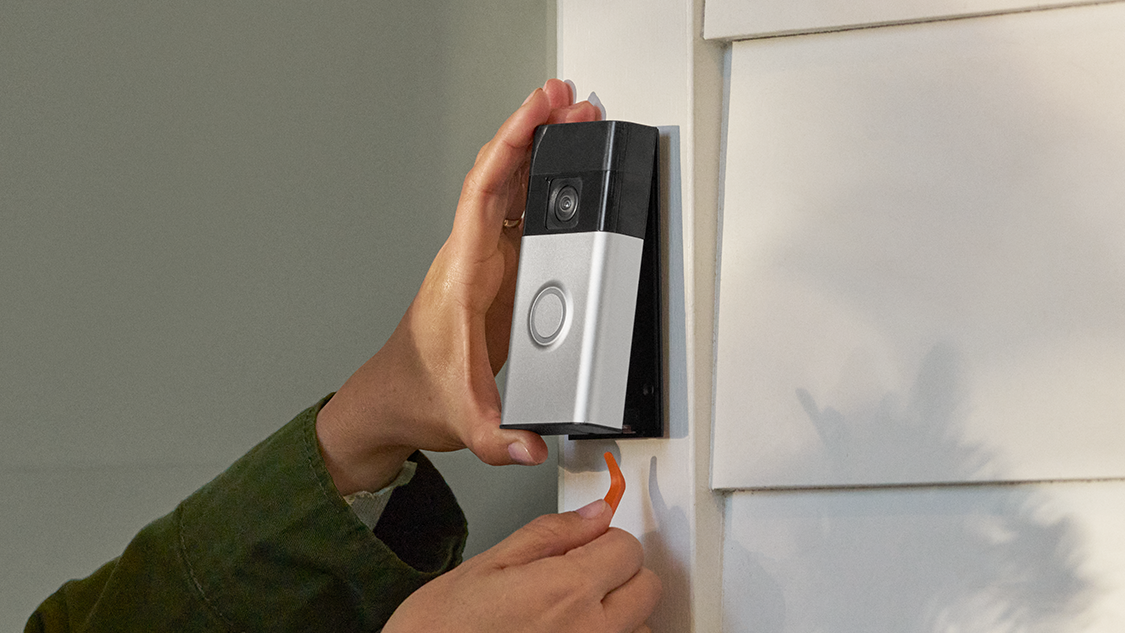
- Open the faceplate. Loosen the small security screw at the bottom. Slide the cover off.
- Remove the battery. Press the silver tab and pull the pack straight out.
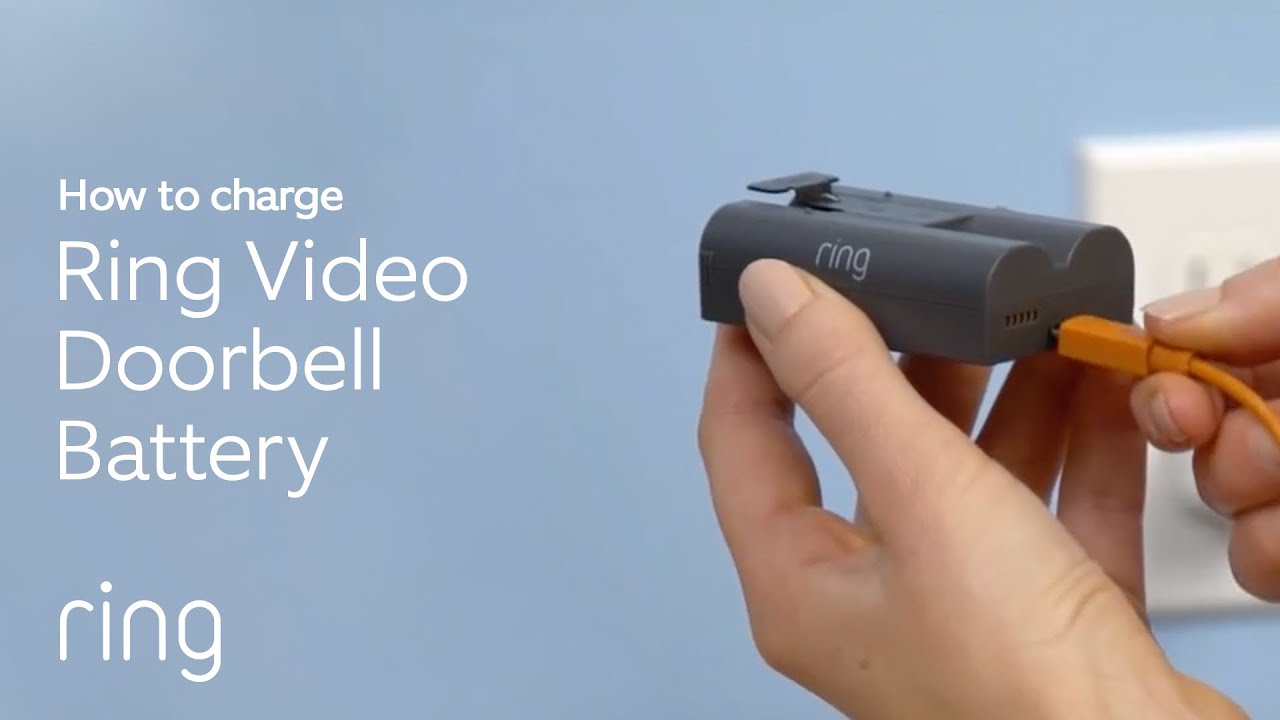
- Charge the battery. Plug a micro-USB cable into the battery. Plug the other end into a 5V wall adapter.
- Watch the lights. One red and one green light together means charging. Solid green means full.
- Reinstall the battery. Slide it in until it clicks. Replace the faceplate and tighten the screw.
- Check in the app. Open the app and confirm the battery shows as charged after a few minutes.
Timing
- A near-empty battery may take 5 to 10 hours to reach full.
- The app may need a short time to refresh the new level.
Pro tip from the field
- I keep two battery packs on rotation. One charges inside, one runs outside. Zero downtime.
Step-by-step: How to charge ring doorbell battery on built-in models
Built-in battery models need the whole unit removed for charging. If you want to know how to charge ring doorbell battery on a 2020 release or original model, follow this path.

- Loosen the security screw at the bottom. Slide off the faceplate.
- Lift the doorbell off the mounting bracket. Some models clip on. Others use two small screws.
- Plug a micro-USB cable into the charging port on the back of the doorbell.
- Use a 5V wall adapter. The front ring light will show charging status. A solid circle means full.
- Reinstall the doorbell on the bracket. Replace the faceplate and tighten the screw.
- Open the app and confirm battery level.
Tip
- Your doorbell will be offline while charging. Plan to charge during a low-traffic time.
How often to charge and what affects battery life
How to charge ring doorbell battery is only half the story. The other half is how to stretch each charge.

Factors that drain the battery
- Motion events. Busy sidewalks, trees in wind, and cars at night cause constant recording.
- Live View and two-way talk. These use more power than passive motion alerts.
- Weak Wi-Fi. Poor signal makes the device work harder to upload video.
- Cold weather. Lithium batteries lose capacity in low temps.
What to expect in real life
- At my home near a school, we saw 90+ events per day. The battery lasted 2 to 3 weeks.
- At a quiet suburban entry, with Smart Alerts tuned, it lasted about 8 to 10 weeks.
Ways to extend runtime
- Lower motion sensitivity and block busy areas with Motion Zones.
- Turn on Smart Alerts to filter people vs. general motion, if available.
- Reduce Live View use and lower Snapshot frequency.
- Improve Wi-Fi signal with a closer router or a mesh node.
Fast, safe charging tips and mistakes to avoid
Want to learn how to charge ring doorbell battery faster and safer? Small changes make a big difference.

Do
- Use a short, high-quality micro-USB cable with a snug fit.
- Use a 5V 2A wall adapter for steady, safe current.
- Clean dust from the charging port and battery contacts.
Avoid
- Do not charge in freezing garages or in direct sun. Keep it at room temp.
- Do not use fast-charge adapters that boost voltage above 5V.
- Do not yank the cable. Support the battery when you unplug.
Nice-to-have upgrades
- Buy a second Quick-Release Battery Pack and a dual charging station.
- Use a solar charger accessory if your door faces consistent sun.
Troubleshooting charging issues and battery drain
If you’re still stuck on how to charge ring doorbell battery because it will not fill or drains too fast, try these fixes.

If the battery will not charge
- Check the LED. No light often means a bad cable or adapter. Try another cable and a 5V wall plug.
- Warm it up. If the battery is cold, let it sit at room temp for 30 minutes, then try again.
- Inspect the port. Clean lint or debris with a dry cotton swab.
If the app still shows low after a full charge
- Reinsert the battery until it clicks. Loose seating causes dropouts.
- Wait 5 to 10 minutes or trigger a motion event so the app refreshes.
- Power cycle the doorbell. Remove and reinsert the battery or hold the setup button per your model.
If the battery drains too fast
- Reduce Motion Zones facing streets or busy sidewalks.
- Improve Wi-Fi signal. Aim for an RSSI closer to -50 dBm than -70 dBm.
- Turn off frequent Snapshots and limit Live View checks.
When to replace the battery
- Lithium cells age. If capacity stays low after proper charging, a new battery may be due.
- Check the pack for swelling or damage. Replace if you see any signs of wear.
Accessories and alternatives for easier charging
You can make how to charge ring doorbell battery almost a non-issue with the right add-ons.

Good options
- Extra Quick-Release Battery Pack to swap in seconds.
- Dual-bay charging station for always-ready spares.
- Solar Charger or solar mount if your doorway gets daily sun.
- Wedge or corner kit to angle away from traffic and cut motion.
- Hardwire trickle charge on supported models with a plug-in adapter or doorbell transformer. This reduces charging needs but may not power the device by itself.
Notes
- Some models stay battery-first even when hardwired. The wire provides a trickle only.
- Pro and Elite models do not use batteries and must be wired.
Frequently Asked Questions
How long does a Ring battery take to charge?
Most Quick-Release Battery Packs take 5 to 10 hours. Built-in batteries are similar, depending on the charger and starting level.
Can I use a fast charger?
Use only a 5V USB charger, ideally 1A to 2A. High-voltage fast chargers can harm the battery or cause errors.
Why does my battery drain so fast in winter?
Cold weather reduces lithium battery capacity. Charge indoors, and consider reducing motion events and Live View until temps rise.
Do I need to turn off my Ring while charging?
No. For removable batteries, the doorbell keeps running if you have a second battery installed. Built-in battery models will be offline while charging.
How do I check battery level in the app?
Open the device in the Ring app and view the Device Health page. The battery percentage or status appears there.
Will hardwiring stop me from ever charging?
On many battery-first models, hardwiring provides a trickle charge only. You may still need to charge during heavy use or cold weather.
What cable does the Ring battery use?
The Quick-Release Battery Pack uses micro-USB. Many built-in models also charge via micro-USB on the back of the unit.
Conclusion
Now you know how to charge ring doorbell battery for every model, how to speed it up, and how to make each charge last longer. With the right charger, smart settings, and maybe a spare battery, you can keep your camera online with little effort. Try one tip today, like refining Motion Zones or grabbing a second battery, and see the difference this week. If this helped, subscribe for more step-by-step home tech guides or drop a question in the comments.